Apple Music subscription
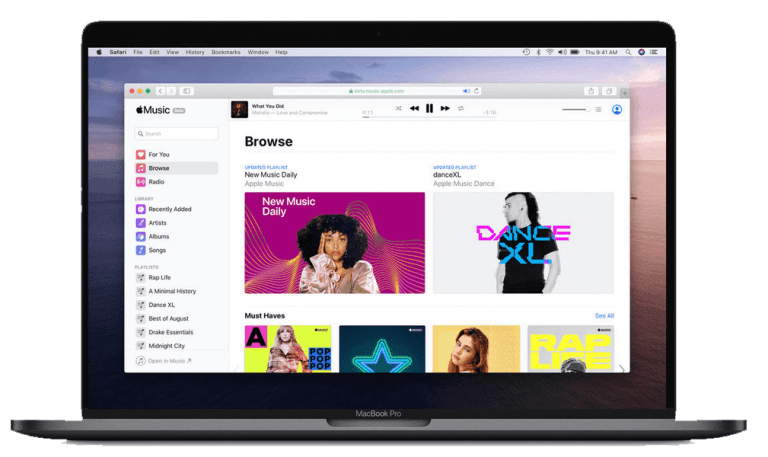
эпл мьюзик семейная индивидуальная подписка сколько стоит что входит и что дает
  • 70M+ tracks
  • Monthly and annual subscription at a promotional price
  • More family users
  • Non-stop music without ads
  • Download tracks to your phone and enjoy music offline
  • Create your own playlist from your favorite artists
  • Best music selections from app editors
  • Favorite hits and live DJs on Beats 1 radio
  • Karaoke on your smartphone – the lyrics of the song on the screen while it is playing
  • Follow the musicians you like and learn about new tracks
  • Manage your playlist with your Apple Watch
  • Available on all devices: iPhone, iPad, iPod touch, Android, Mac or PC
  • Get the full benefit of your Apple Music subscription in your car with the CarPlay app
APPLE MUSIC 3 months price
3 months
 
3
$/months
APPLE MUSIC 6 months price
6 months
 
3
$/months
APPLE MUSIC 12 months price
12 months
 
3
$/months

Playmusic is offering a discounted price for an individual or family subscription to Apple Music. The price is for an individual subscription for one user.

FAQ

An Apple Music individual subscription costs 5 $/month.

Playmusic offers Apple Music subscriptions, starting at 3.08 $/month, depending on the length of the subscription.

  • Over 100 million music tracks;
  • Ad-free listening;
  • The ability to download songs, albums, and playlists for offline listening;
  • High-quality sound, including Lossless Audio and Hi-Res Lossless formats for compatible devices;
  • Spatial Audio support with Dolby Atmos technology for a more immersive sound;
  • personalized recommendations and automatically generated playlists;
  • the ability to sync your media library across all your devices;
  • Apple Music Sing karaoke mode;
  • the ability to create your own playlists;
  • convenient music collection management and the ability to import your own media library.

The service is fully integrated into the Apple ecosystem and works on iPhone, iPad, Mac, Apple Watch, Apple TV, HomePod and HomePod mini, and Apple Vision Pro. The service automatically syncs across all devices via your Apple ID.

For Android smartphone and tablet users, the official Apple Music app is available, which can be installed through Google Play.

On Windows computers and laptops, access is available through the Apple Music app or through the web version of the service in a browser.

Apple Music is supported on many modern Smart TVs, Android TV, and Google TV.

The service is available on PlayStation 5, Xbox Series X, Xbox Series S, and select Xbox One gaming consoles.

For in-car listening, use the Apple CarPlay and Android Auto apps.

There are no limitations for streaming music. The limit for adding tracks to your library is 100,000.

Log in to your account, select Apple Music from the list of available services, click “Connect,” make a payment, and our managers will add you to the Apple Music family subscription.

To import your library from a Mac, ensure “Sync Library” is enabled in the settings, open the Apple Music app, select File → Add to Library from the top menu, and select the desired folder containing the audio files. To add the files to iCloud, select them, right-click, and then and select “Add to My Library.”

For Windows computers → Launch the Apple Music app → Import in the top of the sidebar → Select folder or file → Select Open.

To transfer songs from your computer, make sure they are in mp3, wav, or aac format.

To transfer your library from other music services (Spotify, YouTube Music), you can use the automatic transfer feature. Open the Apple Music app on your iPhone or Android device → tap your photo or profile icon in the upper right corner → select “Transfer music from other services” → sign in to the desired music service and select the items you want to transfer.

On iPhone and iPad: Open Settings → Music → Audio Quality

On Mac: Open the Music app → Preferences → Playback tab → under Audio Quality, select the desired sound quality.

Windows and Android: Open the Apple Music app → Select Settings → Playback.

To limit the size of downloaded tracks: Open Settings → Music → Downloads → Optimize Storage → Turn on the slider → Choose a storage size.

To reduce your mobile data usage, you can disable Mobile Data in the Cellular Data section to listen and download music in high quality only when connected to a Wi-Fi network.

User comments